To export a CSV from Excel, follow these steps:
1.Open an Excel document.
2.In Excel top menu go to File → Save as.
3.Type the file name into the Save As field.
4.Set File Format as Comma Separated Values (.csv).
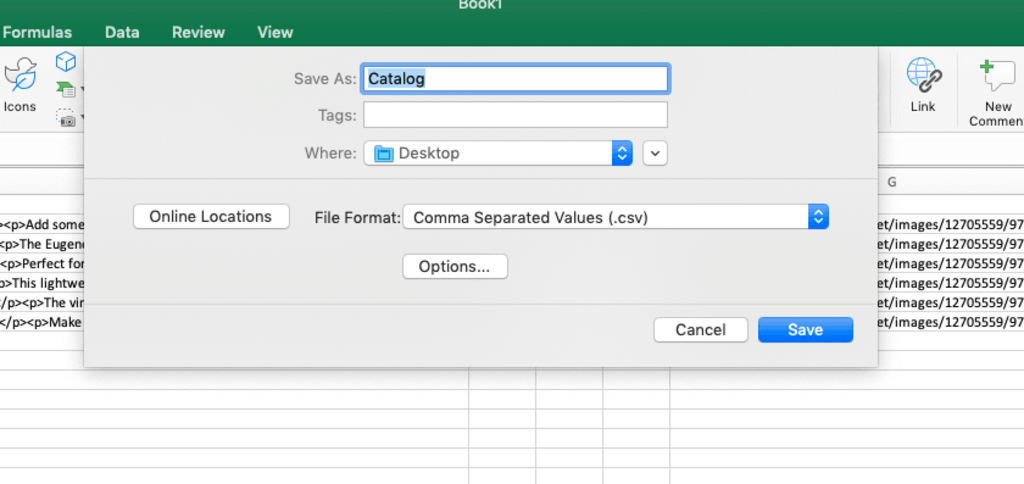
5.Click Save.
That’s it! You have a CSV file saved in the selected directory on your computer.